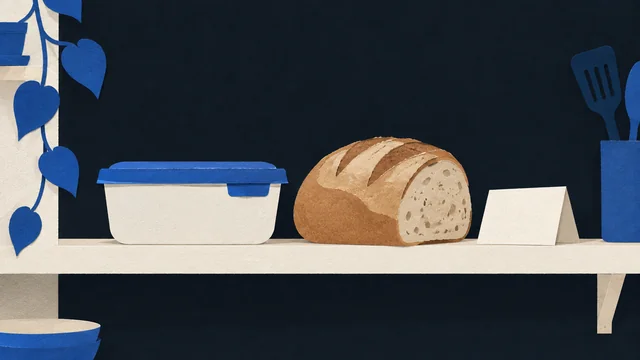


A calm nighttime phone scene showing a quiet off-ramp before opening a delivery app.

Android-first · food-delivery only

Order less delivery you regret.

LateBite Pause adds one last pause before selected delivery apps, so you can spend less on delivery you did not really want.

Replacement Plan, Reason Reminder, Evening Prep, and Buddy Support help when delivery pressure shows up.

Selected delivery apps / chosen risk windows / pause before choice

Selected delivery apps Chosen risk windows Spend less on delivery you may regret
Selected app open → pause → choice

In the app

See how the pause works.

Choose an app and risk window, keep your plan ready, and decide before the usual order takes over.

LateBite Pause Home screen showing protection ready, selected delivery app, risk window, and recent pauses.

Ready at home

Selected app. Chosen window. One pause.

Rules screen showing one selected delivery app and enabled risk windows.

Choose the window

Cover the delivery app and times that matter.

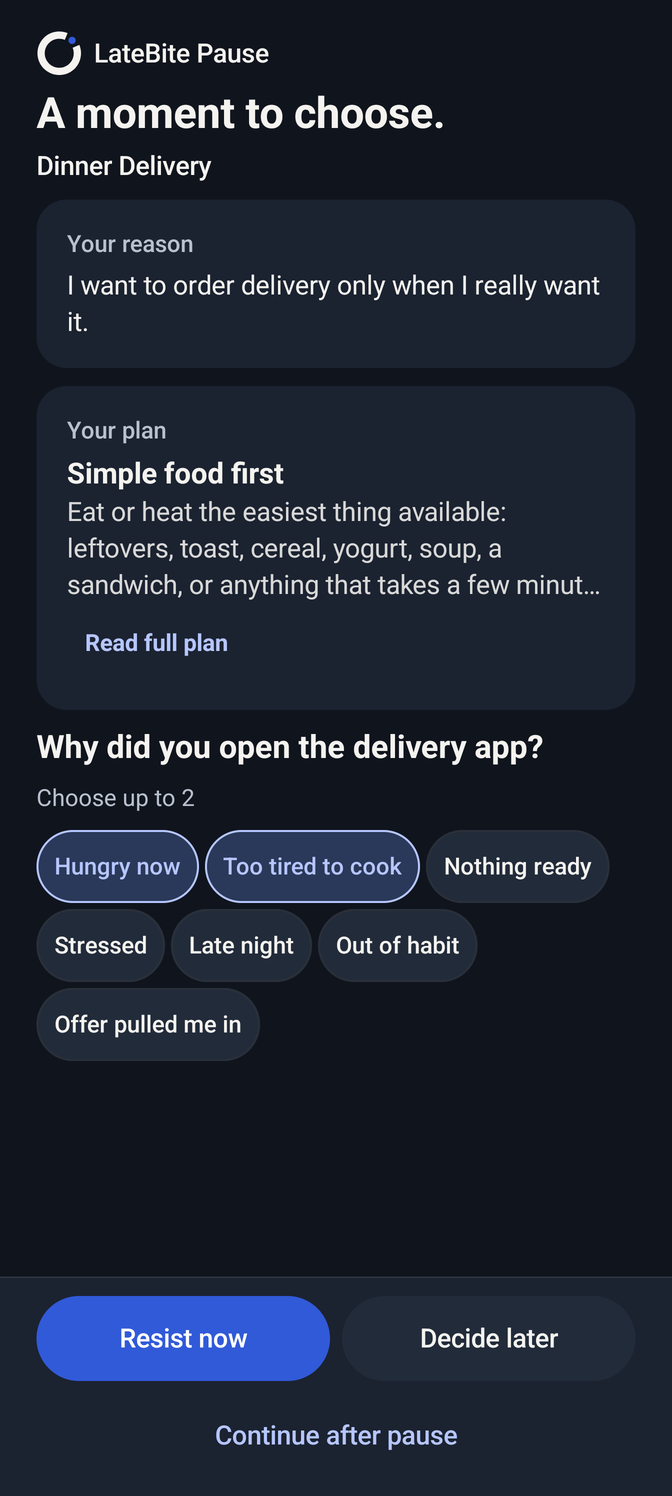
Pause screen with reason reminder, pull-in cues, Replacement Plan, and three outcome buttons.

Pause before autopilot

Remember why, name the pull-in, choose your next step.

Pause screen showing pull-in cues and a visible Replacement Plan.

Plan visible in the pause

Your Replacement Plan stays ready when the pause appears.

Plan screen showing a saved Replacement Plan and Reason Reminder.

Save a realistic plan

One easy next action for tired nights.

Continue checkpoint screen with a short checklist before continuing.

Checkpoint before continuing

Continue stays possible, but not on autopilot.

Stats screen showing local pause patterns, outcomes, and pull-in cues.

Review pause patterns

Recent outcomes and pull-in cues, in one place.

Account screen showing profile, Premium trial active, and Buddy Support entry.

Trial status in Account

Premium and Buddy Support stay in Account.

Support stack

More than a pause screen.

The pause works because support is ready before delivery pressure peaks: a realistic plan, a reminder of why you wanted to pause, one small prep action, optional Buddy Support, and local Stats.

01

Replacement Plan

A realistic low-energy action to try before opening the usual delivery path.

02

Reason Reminder

A short line you can review when delivery starts to feel automatic.

03

Evening Prep

One small action before the pressure shows up, so the moment has an easier off-ramp.

04

Buddy Support

A trusted helper for harder Continue after pause moments.

05

Stats

Local-first analytics that make your delivery patterns easier to see: recent outcomes, pull-in cues, and the moments that keep repeating.

Trial and Premium

Try the full off-ramp first.

Start with 10 days of full access. No card is needed to begin.

During the trial, you can use the launch features available for your device and account, including selected-app protection, risk windows, Replacement Plan, and available Insights.

After the trial

Premium keeps it active.

After the trial, you can choose Premium through Google Play for $14.99/month. If you choose Premium, it renews monthly and you can cancel anytime in Google Play subscriptions.

One monthly subscription only at public launch. Annual plans are deferred.

Pause outcomes

Three clear ways out of the moment.

LateBite Pause does not take the decision away. It makes the choice slower, clearer, and easier to interrupt.

Resist now

Leave the risky flow and return to what you meant to do.

Decide later

Postpone the moment without a reminder pushing you back into the app.

Continue after pause

Continue only after a short deliberate pause.

A visual sequence from selected delivery-app open to pause screen and calmer next action.

How LateBite Pause helps

Support at the risky moment.

Choose the delivery apps and time windows that tend to pull you into autopilot. During those windows, Android Accessibility helps LateBite Pause show a pause before the order loop takes over.

1

Pick the food-delivery apps you want covered.

2

Choose the evening or late-night risk windows where you want a pause.

3

When a selected app opens, use the pause and your Replacement Plan before deciding what happens next.

Selected app open Pause before autopilot
A calm Replacement Plan scene with a practical local next action before ordering delivery.

Replacement Plan

A fallback ready before the pressure hits.

The primary support layer is not a lecture. It is a realistic local action you can actually do when you are tired.

Example plan

Simple food first

Eat or heat the easiest thing available: leftovers, toast, cereal, yogurt, soup, a sandwich, or anything that takes a few minutes. It only needs to get you past this spike. Decide again after.

A realistic local action before delivery takes over

Why the loop happens

The usual order can start before you have time to think.

LateBite Pause is built for the evening when hunger, fatigue, and convenience pressure make delivery feel like the only easy path.

Read the practical guide to stopping food-delivery orders you regret.

01

The app opens before reflection catches up.

A saved address, familiar order, and fast checkout can turn “just looking” into the usual order very quickly.

02

The real problem is not character.

Bad evenings are noisy: low energy, hunger, and decision overload compress the space between urge and action.

03

A short off-ramp can change the ending.

The goal is not a perfect night. The goal is one less order you did not really want.

Privacy & trust

No carts. No checkout. No private delivery-app content.

LateBite Pause works around selected delivery-app opens and your chosen risk windows. It does not read carts, checkout, menus, order details, payment details, messages, or private delivery-app content.

Read the privacy boundary.

How protection works on Android

A selected-app pause, not a hidden checkout monitor.

LateBite Pause is Android-first and honest about platform limits. It adds a pause around selected food-delivery apps during your chosen risk windows.

Selected delivery apps

You choose which food-delivery apps are covered. LateBite Pause is not a general app blocker.

Risk windows

You choose the times when a pause is useful, like evening or late-night delivery pressure.

Accessibility pause

Accessibility helps notice selected app opens and show the pause screen. It is not used to read carts, checkout, orders, menus, payment data, messages, or private app content.

You stay in control

The app does not tap, click, cancel, order, or act inside delivery apps. You decide whether to resist now, decide later, or continue after pause.

Android launch

Public Android launch is coming soon.

LateBite Pause is preparing for Android launch. See the launch status, how it works, and the privacy boundary before public Play access is live.